EVERFORM PHARMA · RESEARCH GUIDES
How to match your Everform vial label to its COA
Look for REF immediately below the product name and labelled amount. This single line connects the vial to its lot record and its Certificate of Analysis (COA). It replaces the separate LOT and COA No. fields.
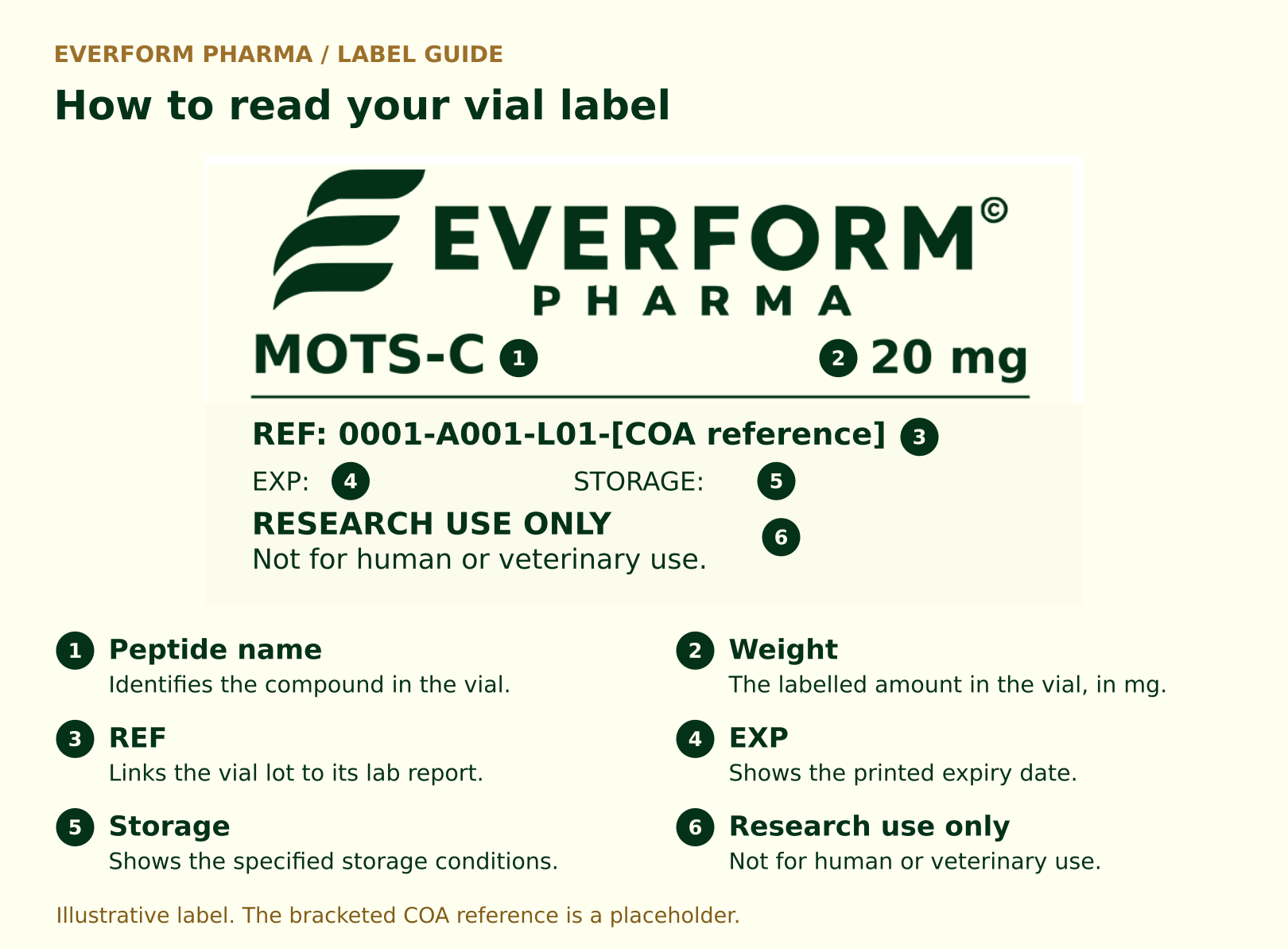
What each part of the reference means
Example: 0001-A001-L01-[COA reference]
| Code element | What it identifies |
|---|---|
| 0001 | The receipt group. Items received together can share this number without sharing a manufacturing lot. |
| A001 | The catalogue item: MOTS-C (Human), 20 mg. A002 identifies GHK-Cu, 50 mg. These catalogue IDs stay with the item and strength across receipts. |
| L01 | The lot sequence for that item within the receipt group. A second supplier lot of the same item can be identified as L02. |
| [COA reference] | The exact reference issued by the laboratory. The bracketed text is a placeholder, not a report number. |
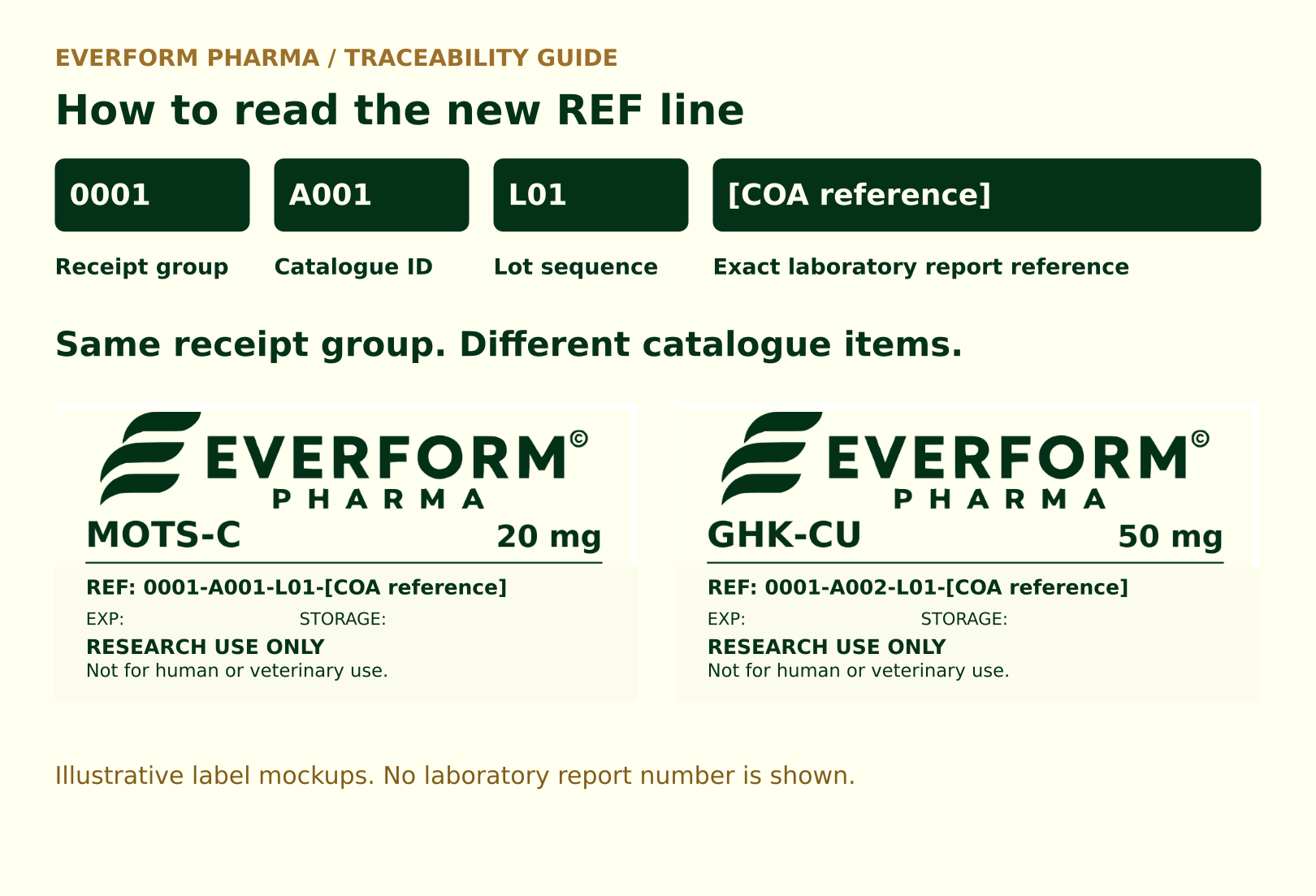
The first three parts, such as 0001-A001-L01, identify the lot in Everform’s records. The last part points to the laboratory report. Read that last part in full, including any hyphens that belong to the lab’s reference.
How to check that the report matches
- Start with the vial. Note the product name, labelled amount and full REF.
- Find the report. Use the laboratory report reference at the end of REF and match it exactly.
- Check the product and lot. Compare the report’s sample description with the label. If the report uses a supplier lot or sample ID, ask for the record linking it to the lot portion of REF.
- Read what was measured. Identity, purity and measured content answer different questions. A purity result alone does not tell you how much material is in a vial or whether it was tested for sterility.
Check the transport seal against the product REF
Each transport package is secured with a security sticker across the opening. The sticker repeats the full REF already printed on the vial or pen label, including the laboratory report reference at the end.
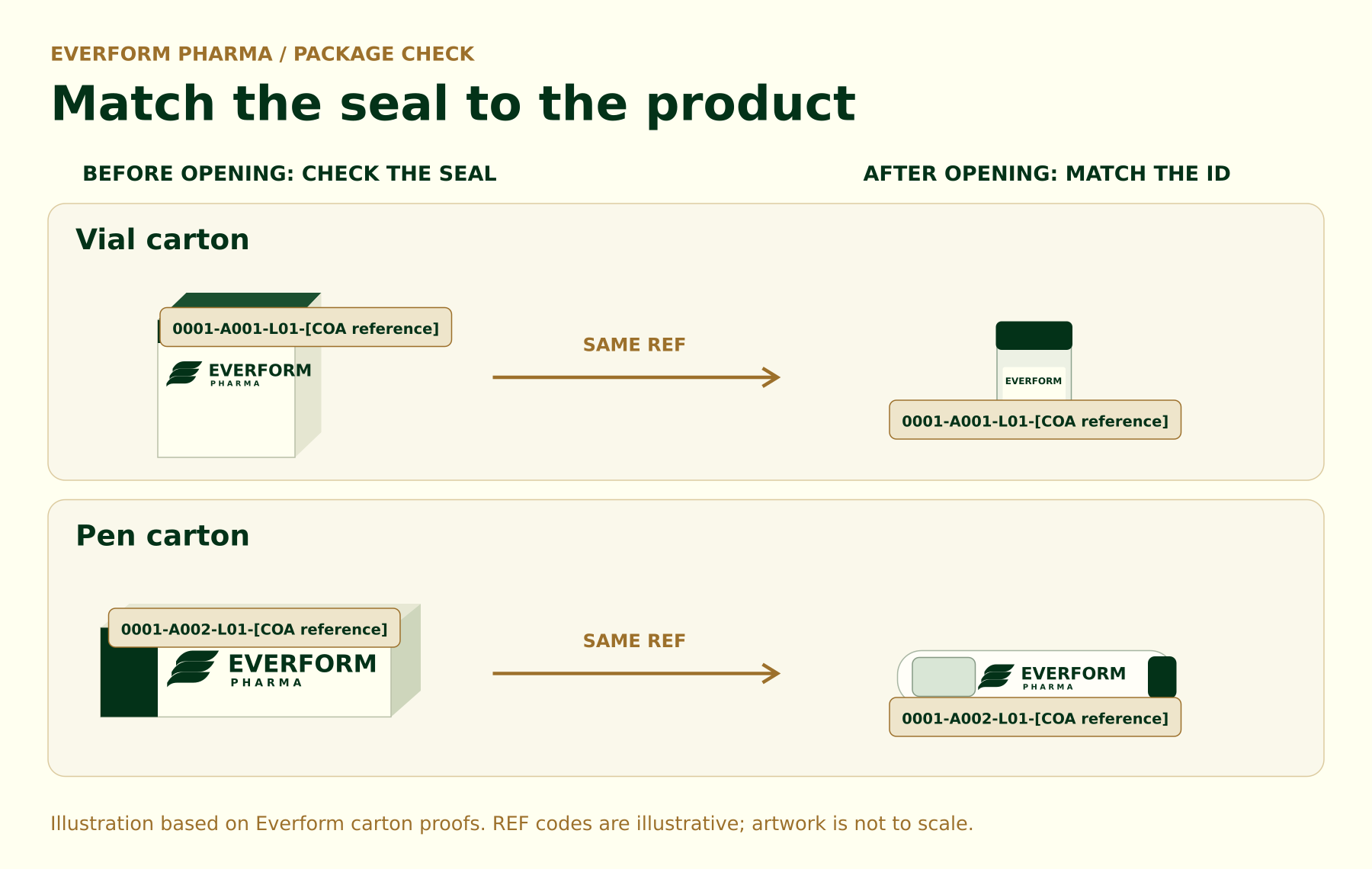
Before opening, check that the seal is intact and note the REF. After opening, compare it with the REF on the vial or pen label. The two should match character for character.
If the seal is broken or missing, the product label is missing, or the REFs differ, keep the packaging and contact Everform with your order number and photos of the seal and label, if present.
What if the details don’t match?
If a field is blank, the report cannot be found, or the lot does not match, contact Everform before relying on the report. Include the product name, full REF and a clear photo of the label. That gives us the details needed to check the link.
The label illustrations are mockups based on Everform’s supplied artwork. The reference codes are examples for this guide, not issued laboratory report numbers. For laboratory research use only.